
Why Gemfury?
Push, build, and install
RubyGems
npm packages
Python packages
Maven artifacts
PHP packages
Go Modules
Debian packages
RPM packages
NuGet packages
 cuerdos
cuerdos / autotiling deb
Repository URL to install this package:
|
Version:
1.6-2~jammy ▾
|
Metadata-Version: 2.1
Name: autotiling
Version: 1.6
Summary: Automatically switch the horizontal/vertical window split orientation in sway and i3
Home-page: https://github.com/nwg-piotr/autotiling
Author: Piotr Miller
Author-email: nwg.piotr@gmail.com
License: GPL-3.0-or-later
Project-URL: Code, https://github.com/nwg-piotr/autotiling
Project-URL: Issues, https://github.com/nwg-piotr/autotiling/issues
Platform: UNKNOWN
Classifier: Development Status :: 4 - Beta
Classifier: License :: OSI Approved :: GNU General Public License v3 or later (GPLv3+)
Classifier: Operating System :: OS Independent
Classifier: Programming Language :: Python
Classifier: Programming Language :: Python :: 3
Classifier: Programming Language :: Python :: 3.6
Classifier: Programming Language :: Python :: 3.7
Classifier: Programming Language :: Python :: 3.8
Classifier: Programming Language :: Python :: 3.9
Requires-Python: >=3.6
Description-Content-Type: text/markdown
License-File: LICENSE
# autotiling
This script uses the [i3ipc-python library](https://github.com/altdesktop/i3ipc-python)
to switch the layout splith/splitv depending on the currently focused window
dimensions. It works on both sway and i3 window managers.
Inspired by https://github.com/olemartinorg/i3-alternating-layout.
## See on YouTube:
[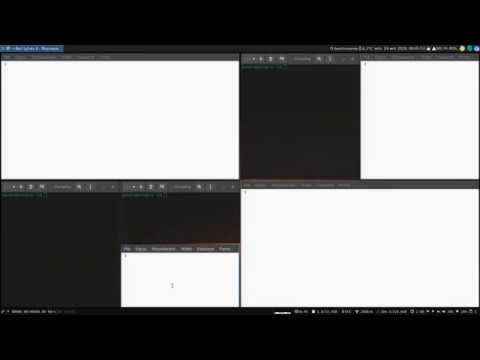](https://www.youtube.com/watch?v=UWRZuhn92bQ)
## PLEASE DO READ THIS
The script does one thing: it checks the window height / width ratio, and executes
the equivalent of either `swaymsg splitv` or `swaymsg splith`. Nothing less, nothing more. Yes, it may make
stacking and tabbed layouts behave oddly. No, nothing can be done about it. If you like stacking/tabbed layouts,
you may use them on workspaces with autotiling turned off (`--workspaces` argument). Do not submit issues about it.
For instance, you may configure autotiling to work on odd workspaces, but not on even:
```text
### Autostart
exec autotiling -w 1 3 5 7 9
```
## Installation
The script has been packaged for the following distributions:
[](https://repology.org/project/autotiling/versions)
On Arch Linux for the latest development version you may use
[autotiling-git](https://aur.archlinux.org/packages/autotiling-git).
Installing manually:
1. Install the `python-i3ipc>=2.0.1` package (or whatever it's called in your Linux
distribution);
2. save the `main.py` file anywhere, rename to `autotiling`, make executable, move to your bin folder;
3. add `exec_always autotiling` to the `~/.config/sway/config` or `exec_always --no-startup-id
autotiling` to the `~/.config/i3/config` file.
## Usage
```text
$ autotiling -h
usage: autotiling [-h] [-d] [-v] [-w [WORKSPACES ...]] [-e [EVENTS ...]]
optional arguments:
-h, --help show this help message and exit
-d, --debug print debug messages to stderr
-v, --version display version information
-w [WORKSPACES ...], --workspaces [WORKSPACES ...]
restricts autotiling to certain workspaces; example: autotiling --workspaces 8
9
-e [EVENTS ...], --events [EVENTS ...]
list of events to trigger switching split orientation; default: WINDOW MODE
```
### Events
Changing event subscription has already been the objective of several pull request. To avoid doing this again and again,
starting from v1.6 you may specify them in the `-e` | `--events` argument. If no value given, the script will subscribe
to `Event.WINDOW` and `Event.MODE`, as if it was executed with `autotiling -e WINDOW MODE`. See
[altdesktop/i3ipc-python`](https://github.com/altdesktop/i3ipc-python/blob/a670f24e7e04f509de8161cf760afe929c22ae93/i3ipc/events.py#L12)
for event enumeration.